Behind every shift.
From the first table to the last report, here’s what you can run in Onshift.
APlatform access & offline work
| What your team can do | Included plans |
|---|---|
| One Bun server runs the staff app, guest app and API. The venue’s SQLite database keeps its write-ahead log on a persistent Railway volume. | Starter, Pro, Business |
| Pair a device by QR or eight-character code. Revoking it cuts access immediately. | Starter, Pro, Business |
| Invite a team member with a personal QR. They scan it and enter their PIN. | Starter, Pro, Business |
| Each person gets a unique PIN. Press Enter to sign in, switch staff quickly, lock idle devices and block repeated guesses. | Starter, Pro, Business |
| A manager can enter a PIN on the spot or approve or deny a request from a push notification. | Starter, Pro, Business |
| Each device loads the latest snapshot and follows live changes. Queued actions appear immediately and keep the name of the person who took them. | Starter, Pro, Business |
| After a restore, every device replaces its local records and shows a banner. | Starter, Pro, Business |
| Practice on one device or turn on training for one person. | Pro, Business |
| The connection bar shows stale data, timeouts and conflicts. The outbox keeps queued payments until confirmed and protects door counts for venues using the door. Actions that need a live check wait for a connection. | Starter, Pro, Business |
| Install the staff and guest apps from the browser. They update between uses. Installed staff devices can receive push alerts. | Starter, Pro, Business |
| Every change has a permanent entry showing the person or rule, device and values before and after. | Starter, Pro, Business |
| Adjust one person’s permissions independently of their role. | Starter, Pro, Business |
BFloor & host
| What your team can do | Included plans |
|---|---|
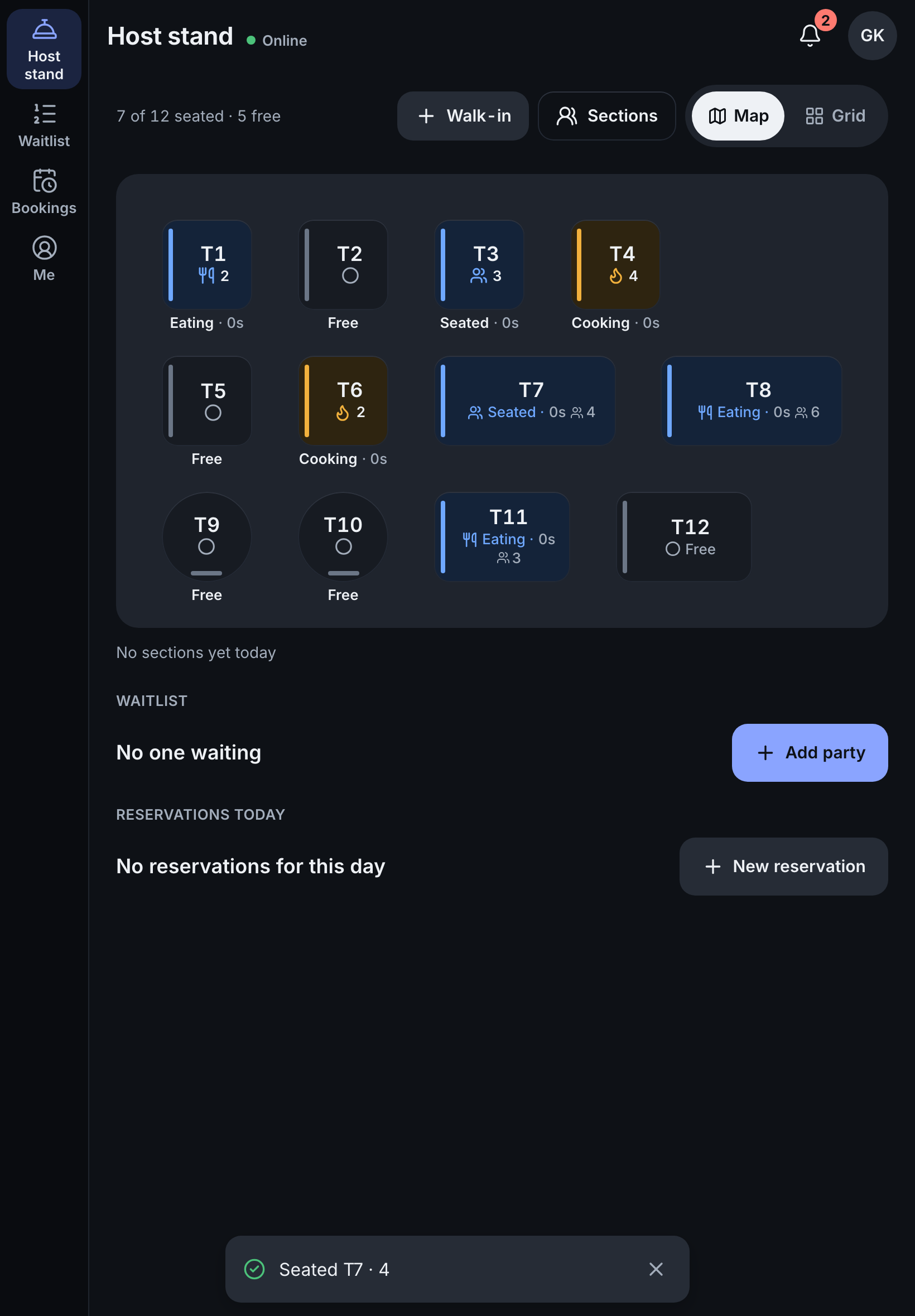
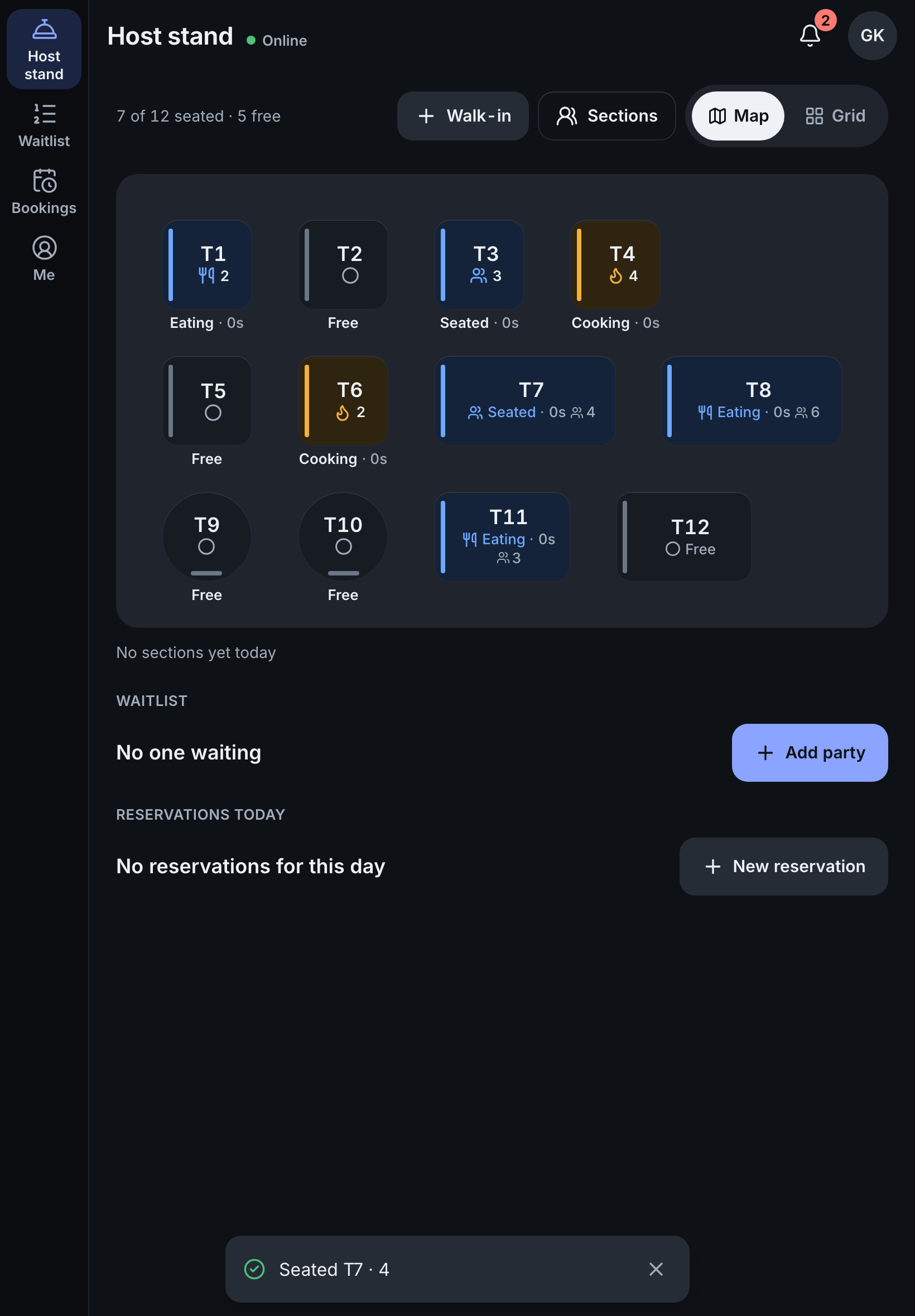
| Draw areas and tables with seats, shape, position, rotation and possible joins. Edit the layout as a list on a phone. | Starter, Pro, Business |
| See each table’s current state and how long it has been there. | Starter, Pro, Business |
| Assign today’s server sections or reuse the same weekday’s assignments. | Starter, Pro, Business |
| Seat a walk-in with a suggested table and server. Rotate suggestions through sections. | Starter, Pro, Business |
| Join tables for a party. The join clears itself when the party leaves. | Starter, Pro, Business |
| Keep several checks at one table. Paid guests stay seated until reset, with a reminder after 15 minutes and optional automatic clearing. | Starter, Pro, Business |
| Seat offline. If two people seat the same table, both checks survive and reception sees a conflict. | Starter, Pro, Business |
| Reset a table, reset and seat in one step, or set a delay for automatic reset. | Starter, Pro, Business |
| Print signed table QR tents with stable codes. Replace a code if it gets shared outside the venue. | Pro, Business |
CReservations & waitlist
| What your team can do | Included plans |
|---|---|
| Book by date. Tables are assigned and held automatically. Flag late arrivals, extend a hold or mark a no-show. A deposit keeps the table with the host until released. | Pro, Business |
| Give VIPs extra arrival time, set their minimum spend and end time, and get a warning 15 minutes before the booking ends. | Business |
| Quote the current wait, share the tracker by QR at reception, notify the party and flag anyone who hasn’t responded. | Pro, Business |
| When a table frees up, see the next waiting party that fits. | Pro, Business |
| Guests can join the waitlist themselves at the door QR. | Pro, Business |
| Guests can view their reservation confirmation and cancel from the same page. | Pro, Business |
| Open a prefilled WhatsApp or SMS when a table is ready. | Pro, Business |
DOrdering
| What your team can do | Included plans |
|---|---|
| Use one check for table service, bar tabs or phone pickup. The same order model extends to delivery and door sales on Business. | Starter, Pro, Business |
| Search in English or Spanish with accents or a composition keyboard. Browse tiles, category chips, weekly favorites and a fixed terminal grid. | Starter, Pro, Business |
| Choose required, optional or nested modifiers, assign seats and courses, add notes and flag allergies. | Starter, Pro, Business |
| Place the order to route it, or send when you deliberately leave with five seconds to undo. Devices flag unsent lines, remind the server at two minutes and the manager at five. A rejected send alerts its sender. | Starter, Pro, Business |
| Edit or void an unstarted line within 60 seconds without approval. | Starter, Pro, Business |
| Hold a course, fire it now or get a reminder for the next one. Automatic firing is optional. Stagger items within a course by prep time. | Starter, Pro, Business |
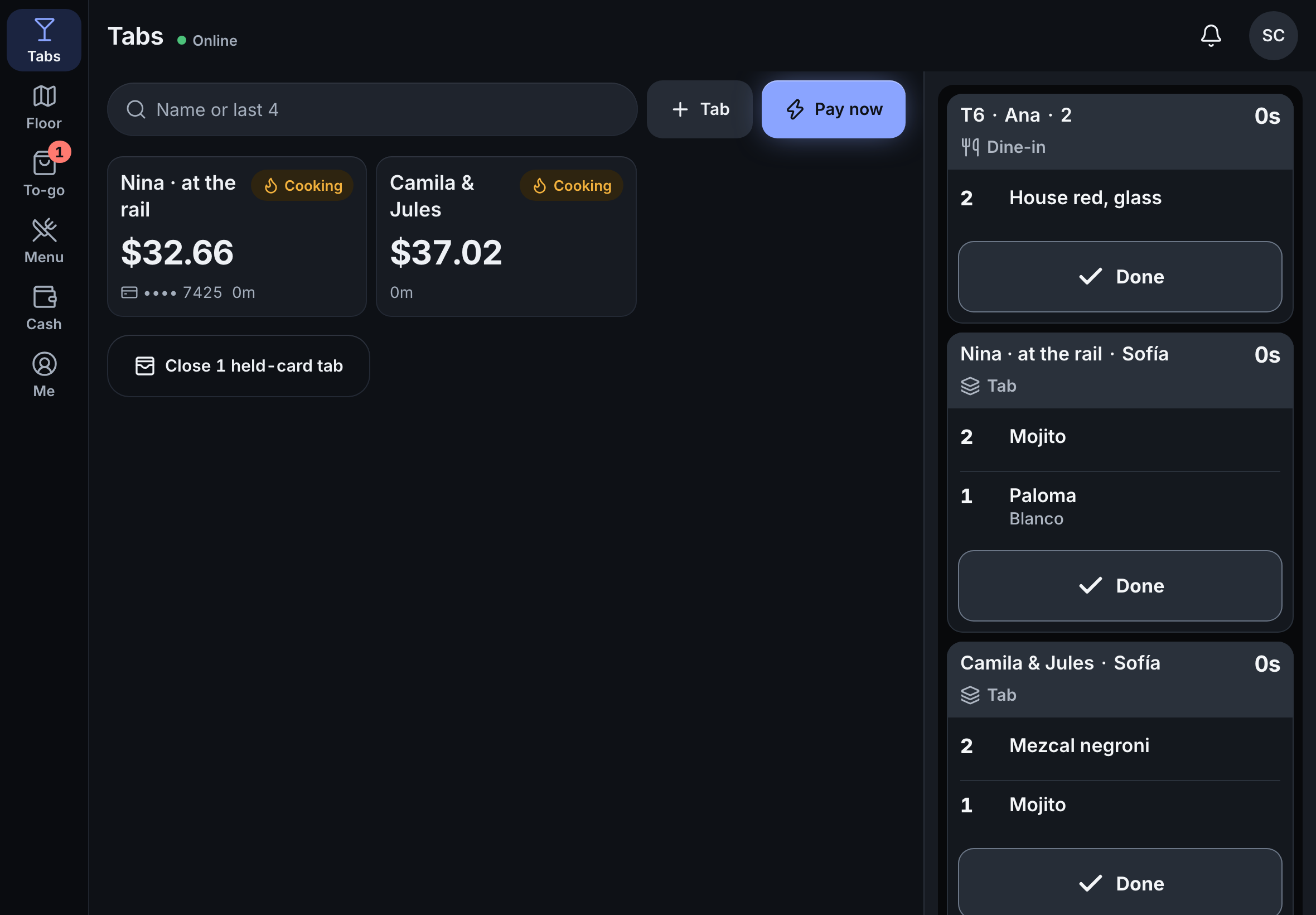
| Name a tab, note a held card’s last four digits, set a limit and move the tab to a table. | Starter, Pro, Business |
| Ring and pay on one screen. Repeat the last drinks round in one tap. | Starter, Pro, Business |
| Transfer or merge checks and move individual lines between them. | Starter, Pro, Business |
| Record the reason and approval for a void, comp, preset or open discount, or service charge. | Starter, Pro, Business |
| Send a remake ticket and comp or void the original item. | Starter, Pro, Business |
| Change a fired item and price the extra on its existing ticket. Message a station or rush a check or round. | Starter, Pro, Business |
| Apply house gratuity by party size. Set a VIP gratuity rule for club service on Business. | Starter, Pro, Business |
| Ring an open-price item and pin personal favorites. | Starter, Pro, Business |
| Servers and runners see what needs attention now, including seated tables waiting to order. | Starter, Pro, Business |
| Show the bill on screen, print it or share its check QR. | Starter, Pro, Business |
| Run a practice round. Training checks stay out of reports, stock, numbering and cash. | Pro, Business |
| At last call, see the banner and all tabs still open. | Starter, Pro, Business |
EKitchen & bar screens
| What your team can do | Included plans |
|---|---|
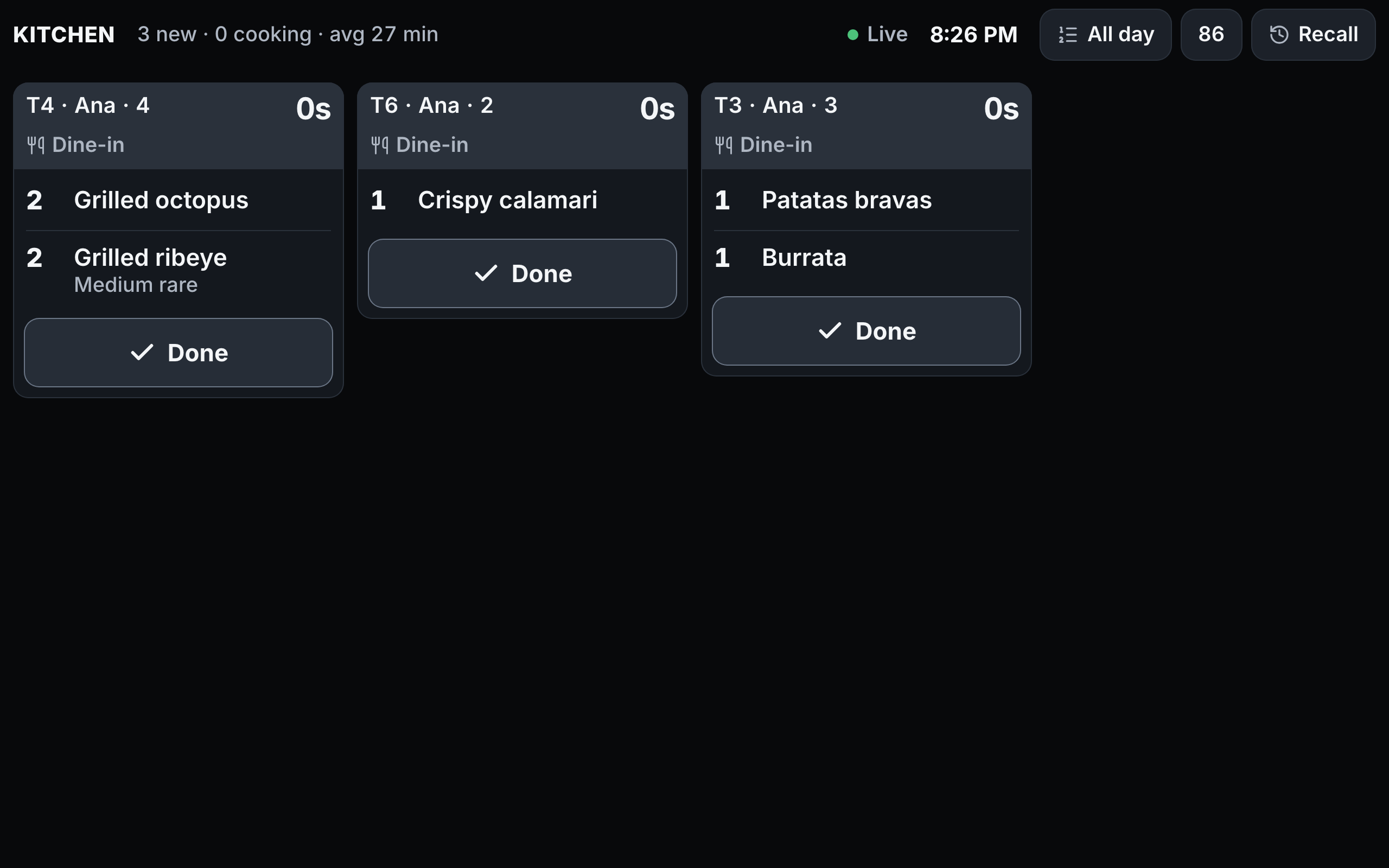
| See the oldest tickets first, upcoming work, age bands and all-day item counts. Bump with five-second undo, recall from the last 20 tickets within ten minutes and mark an item sold out. | Starter, Pro, Business |
| See allergy banners, highlighted notes and removals in red capitals. Acknowledge audible void and remake cards. | Starter, Pro, Business |
| Strike individual lines as they finish. Progress follows the order to expo and the guest’s tracker where enabled. | Starter, Pro, Business |
| At expo, see when every station is ready, finish a station ticket, mark food sent out or mark the order bagged. | Pro, Business |
| Runners claim ready food in the live feed or by push. Unclaimed food draws attention after two and four minutes. | Starter, Pro, Business |
| When a station drops offline its tickets go to its backup, then to expo if available, then to managers. | Starter, Pro, Business |
| See additions and removals on fired tickets. Acknowledge or reply to station messages. Rush tickets come first and practice tickets carry a banner. | Starter, Pro, Business |
| Keep a bar ticket strip on the terminal. Bartenders can ring and make their own drinks. | Starter, Pro, Business |
| Show Preparing and Ready pickup numbers on a TV. | Pro, Business |
| Enable sound, keep the screen awake and use dark or high-contrast TV mode. Work the rail with a bump bar or the keyboard (1–9, Enter, R). | Starter, Pro, Business |
| Print station tickets every time or only when that station’s screen goes offline. | Starter, Pro, Business |
FPayments & splits
| What your team can do | Included plans |
|---|---|
| Keep a bill whole or split evenly, by seat, item, fractional share or amount. Recombine it or split the unpaid balance again after a payment. | Starter, Pro, Business |
| Combine tenders. Tap a cash amount and see change, record a card and tip from the external terminal, or use a house-labelled method. | Starter, Pro, Business |
| Adjust tips until server checkout. Managers can correct late card tips until the terminal batch is entered or three days pass. | Starter, Pro, Business |
| Issue globally numbered receipts in English or Spanish. Print from the browser, share from the device or give the guest a receipt QR. | Starter, Pro, Business |
| Void your own payment within ten minutes, then request approval. Refund by line or amount, record a walk-out or reopen a check closed today. | Starter, Pro, Business |
| Show the remainder of a VIP minimum spend on the bill. | Business |
| Queue payments offline and flag an overpayment when devices reconnect. | Starter, Pro, Business |
| Record late tips, payment method, terminal, drawer or shift-time corrections against the original closed day. | Starter, Pro, Business |
| Close held-card tabs together at last call or checkout with house gratuity applied. | Starter, Pro, Business |
| Send the bill or receipt to the device’s printer in one tap. Open the cash drawer when taking cash. | Starter, Pro, Business |
| Charge a house account, see its running balance and issue a monthly statement. | Starter, Pro, Business |
| Record a reservation deposit, apply it when seating, or mark it forfeited or refunded. | Pro, Business |
GCash, shifts & close
| What your team can do | Included plans |
|---|---|
| Clock in at the first sign-in of the day, record breaks and clock out. | Starter, Pro, Business |
| Check out with sales, tips and cash due. Open checks and unconfirmed card tips must be settled first. | Starter, Pro, Business |
| Count the opening float, paid-ins, paid-outs, drops and tip payouts. Close with a blind count and approval for differences. | Starter, Pro, Business |
| Enter each terminal batch total and reconcile it against card payments. | Starter, Pro, Business |
| Track the cash each server carries. Set tip-out rules and distribute pooled tips by hours worked. | Starter, Pro, Business |
| Set a business-day cutoff. Close manually with a checklist or automatically once service quiets down. Open work carries forward, and shifts and drawer sessions can cross the cutoff. | Starter, Pro, Business |
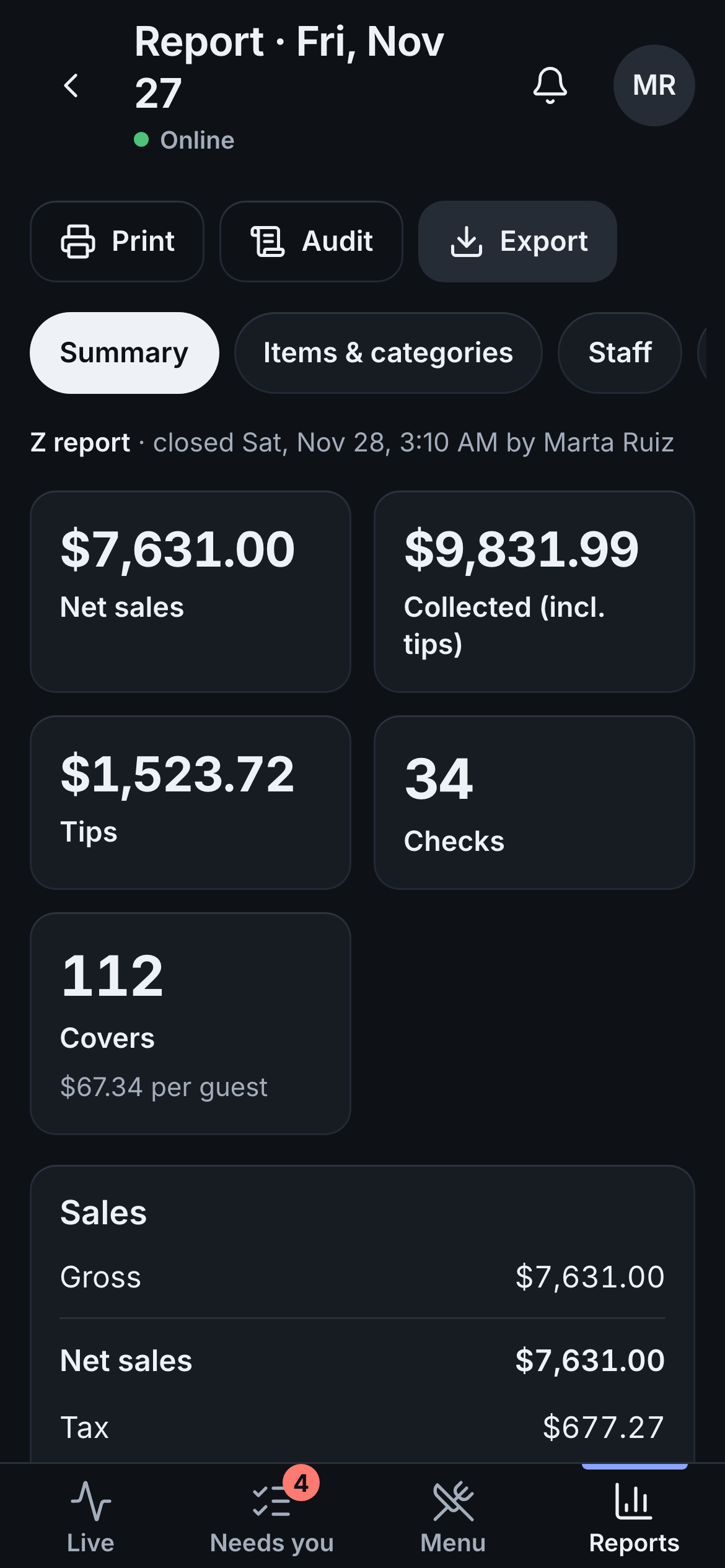
| Read a live X report during the shift and a frozen Z report after close. | Starter, Pro, Business |
HTakeout & delivery
| What your team can do | Included plans |
|---|---|
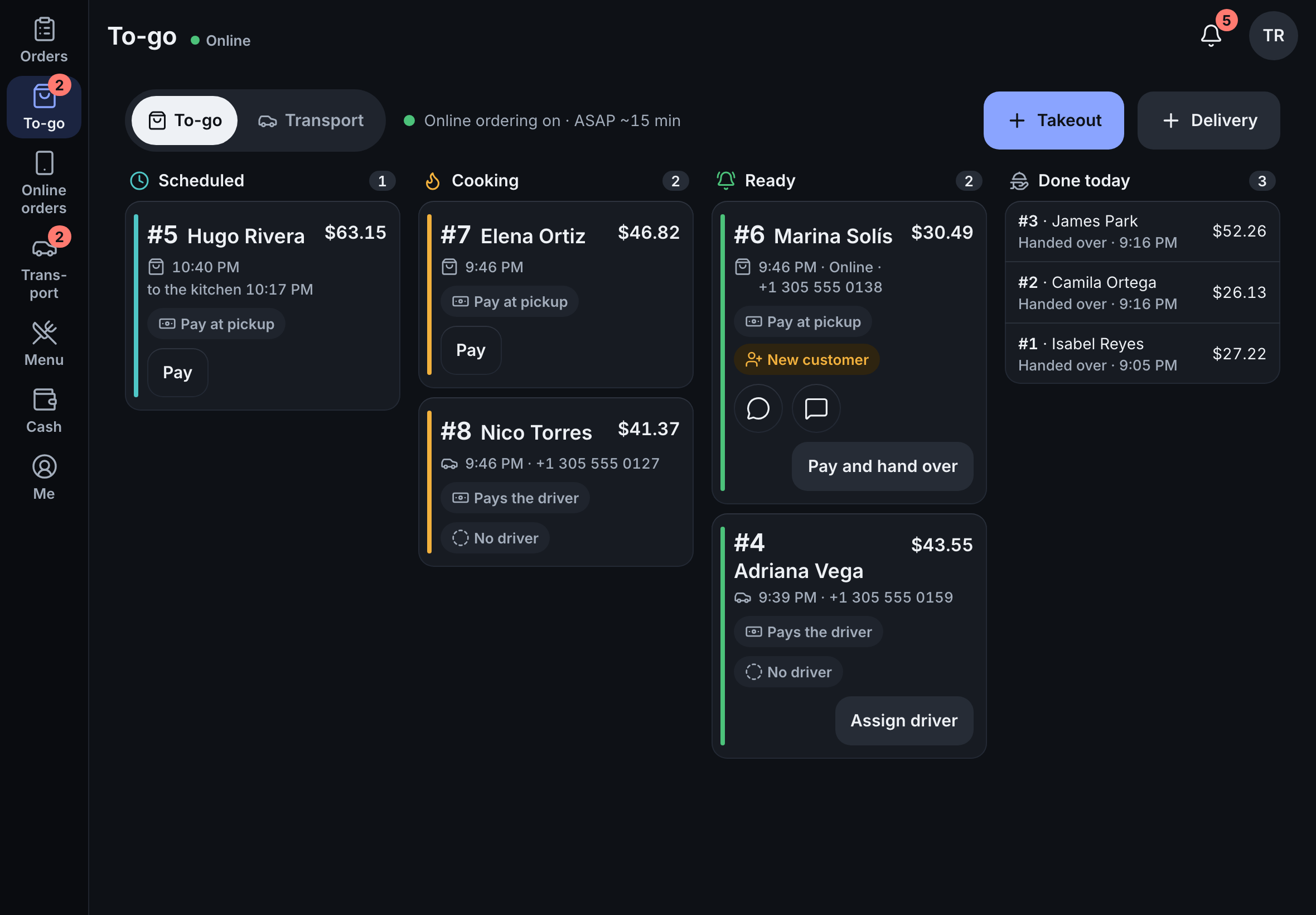
| Follow Scheduled, Cooking, Ready and Done today on one takeout board. | Starter, Pro, Business |
| Open a prefilled WhatsApp or SMS at the counter when a pickup order is ready. | Starter, Pro, Business |
| Take a phone pickup order for ASAP, in 15 or 30 minutes, or at a chosen time. | Starter, Pro, Business |
| Take phone orders for home delivery and send the address to dispatch. | Business |
| Give every to-go order a daily pickup number, whichever counter or channel took it. | Starter, Pro, Business |
| Quote with the current kitchen load. Start cooking ahead of the promised time using prep and packing times. Tickets show the promise, and payment can happen at any point. | Starter, Pro, Business |
| Mark a bag packed when packing is enabled. Check payment before handover, mark a no-show or cancel with a refund. | Starter, Pro, Business |
| Link a delivery to its driver job. The driver records cash collected at the door. | Business |
| If the delivery fails or loses its driver, dispatch again, switch it to pickup, or cancel and refund. | Business |
| For pickup orders over $40 from an unknown phone, start cooking on arrival. A previous no-show needs staff acceptance. | Pro, Business |
| When busy, extend the online estimate automatically or pause ASAP pickup orders. | Pro, Business |
| Show guests the delivery zones and fees before they order. | Business |
IRides & transportation
| What your team can do | Included plans |
|---|---|
| Put the venue’s drivers and vehicles on duty. Record seats, plates and who uses the driver app. | Business |
| Schedule pickups to the venue, rides home and deliveries. Create both legs together and check seats, overlaps and one moving job per driver. | Business |
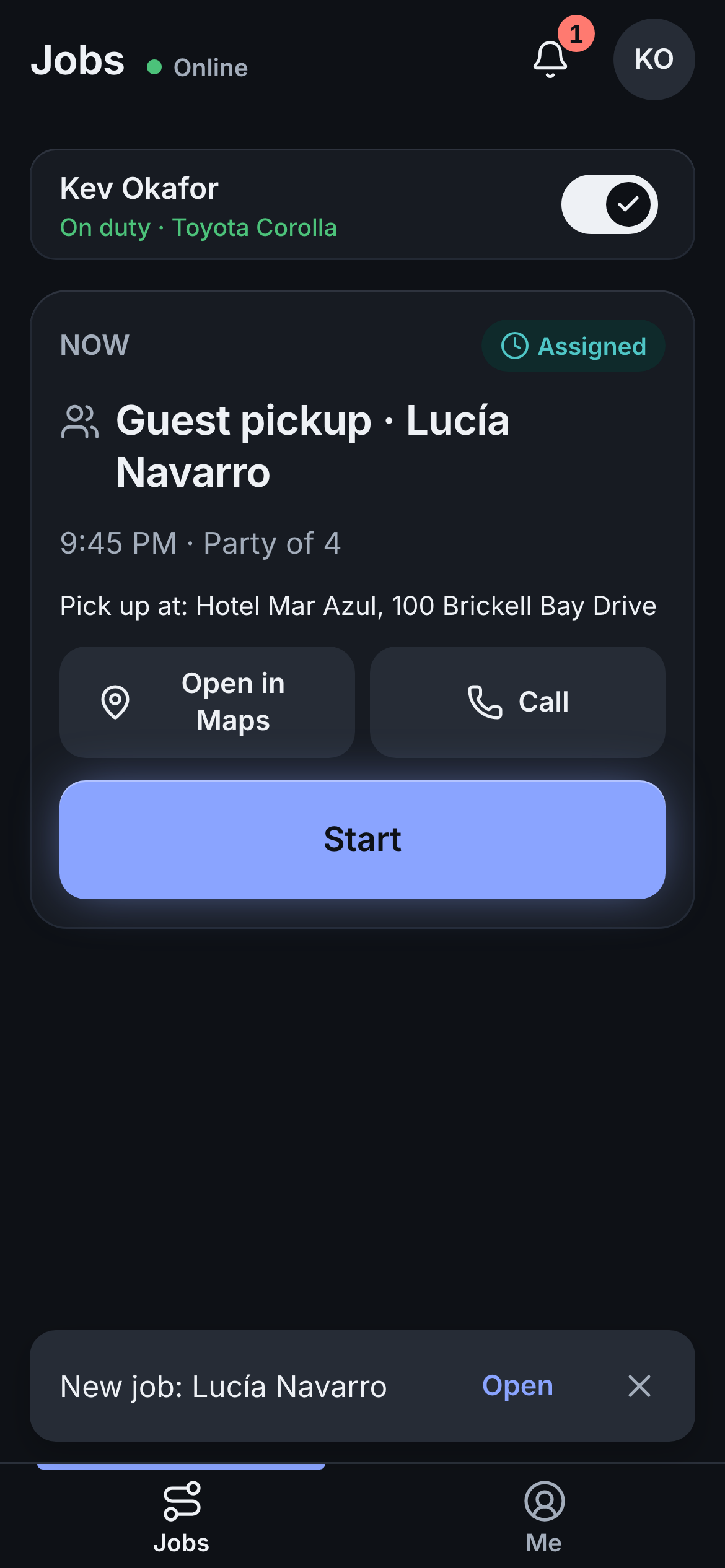
| Assign the suggested driver in one tap. The job arrives on the driver’s phone. | Business |
| Offer jobs to app drivers with a response deadline and automatic assignment. | Business |
| Follow one next-step button on the driver phone, undo for 30 seconds, open the route in Maps, call the guest and record cash on deliveries. | Business |
| Arrange a ride from a reservation or an open check. Bring the pickup forward when the party is ready early. | Business |
| Get reminders before pickup and alerts when a ride is running late. | Business |
| Guests can follow the steps of their ride on a private tracker page. | Business |
JGuest app
| What your team can do | Included plans |
|---|---|
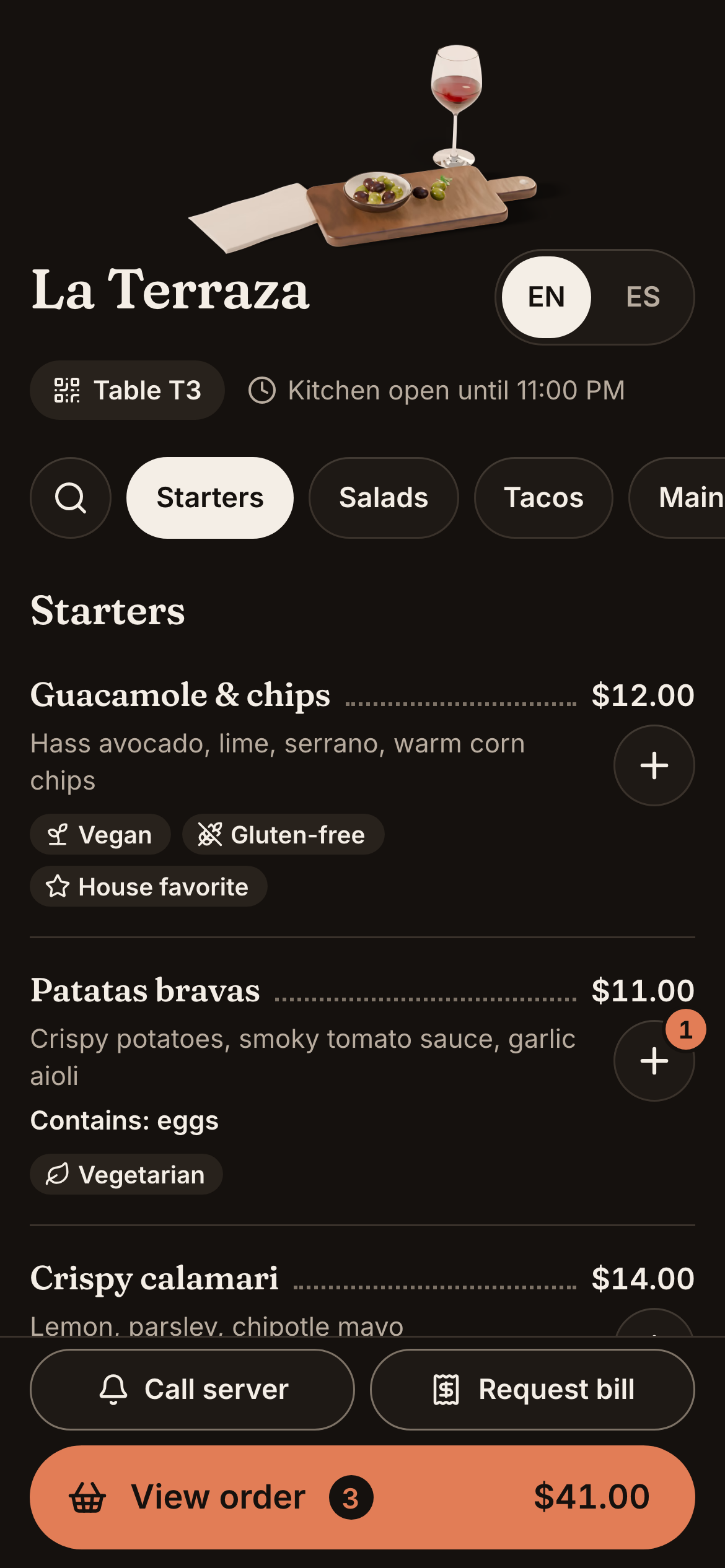
| Search the bilingual menu by dish, allergen or tag. See the venue’s allergen notice, live sold-outs, hours, closures, pauses, address and phone. | Starter, Pro, Business |
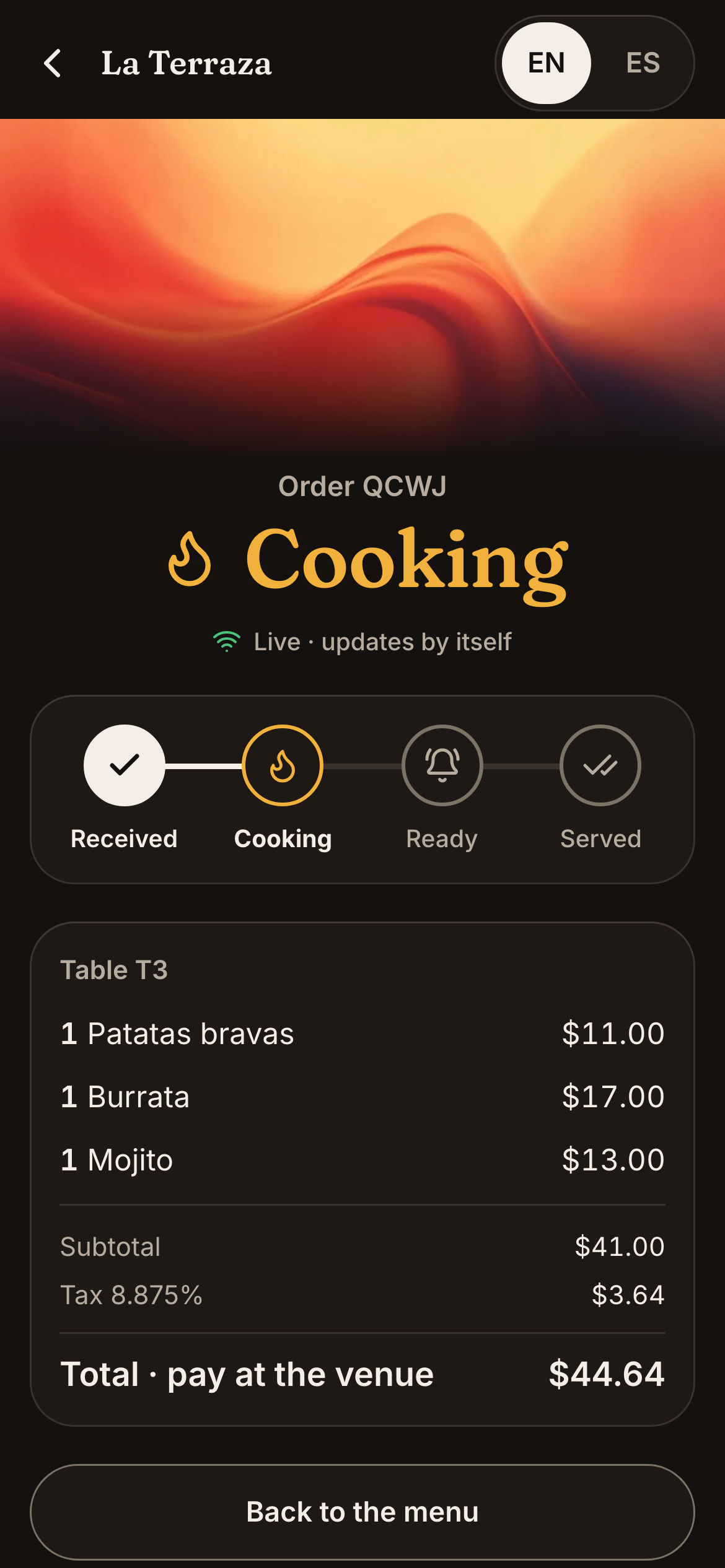
| Scan the table QR to order on its check, see the live bill, call a server or request the bill. | Pro, Business |
| Order pickup with a live estimate. Follow each step and see the subtotal, service, tax and total. | Pro, Business |
| Automatically accept orders within house limits. Escalate pending requests and tell the guest when an expired request had no charge. | Pro, Business |
| Show the 90-day data retention notice at checkout. Show reconnecting and the time of the last update. | Pro, Business |
| Let guests cancel a pending request, or an accepted order still unpaid and waiting to fire. | Pro, Business |
| Guests can use older phones, including iOS 15.4 and Chrome 100. | Starter, Pro, Business |
| Flag sold-out items or price changes on the affected cart line. Keep the cart offline and let the guest send or discard a queued order. | Pro, Business |
| Guests tap “I’m here” when they arrive for pickup. | Pro, Business |
| Open the digital receipt from its link. Submission limits and abuse controls protect service. | Starter, Pro, Business |
| Guests can opt in to push updates. | Starter, Pro, Business |
| Join the waitlist or open the reservation confirmation on a phone. | Pro, Business |
| Follow a guest ride from the tracker link. | Business |
KBar & club door
| What your team can do | Included plans |
|---|---|
| Happy-hour prices lock when the round is placed. The HH mark identifies the price. | Starter, Pro, Business |
| Flag a tab that reaches its limit and keep track of the card held. | Starter, Pro, Business |
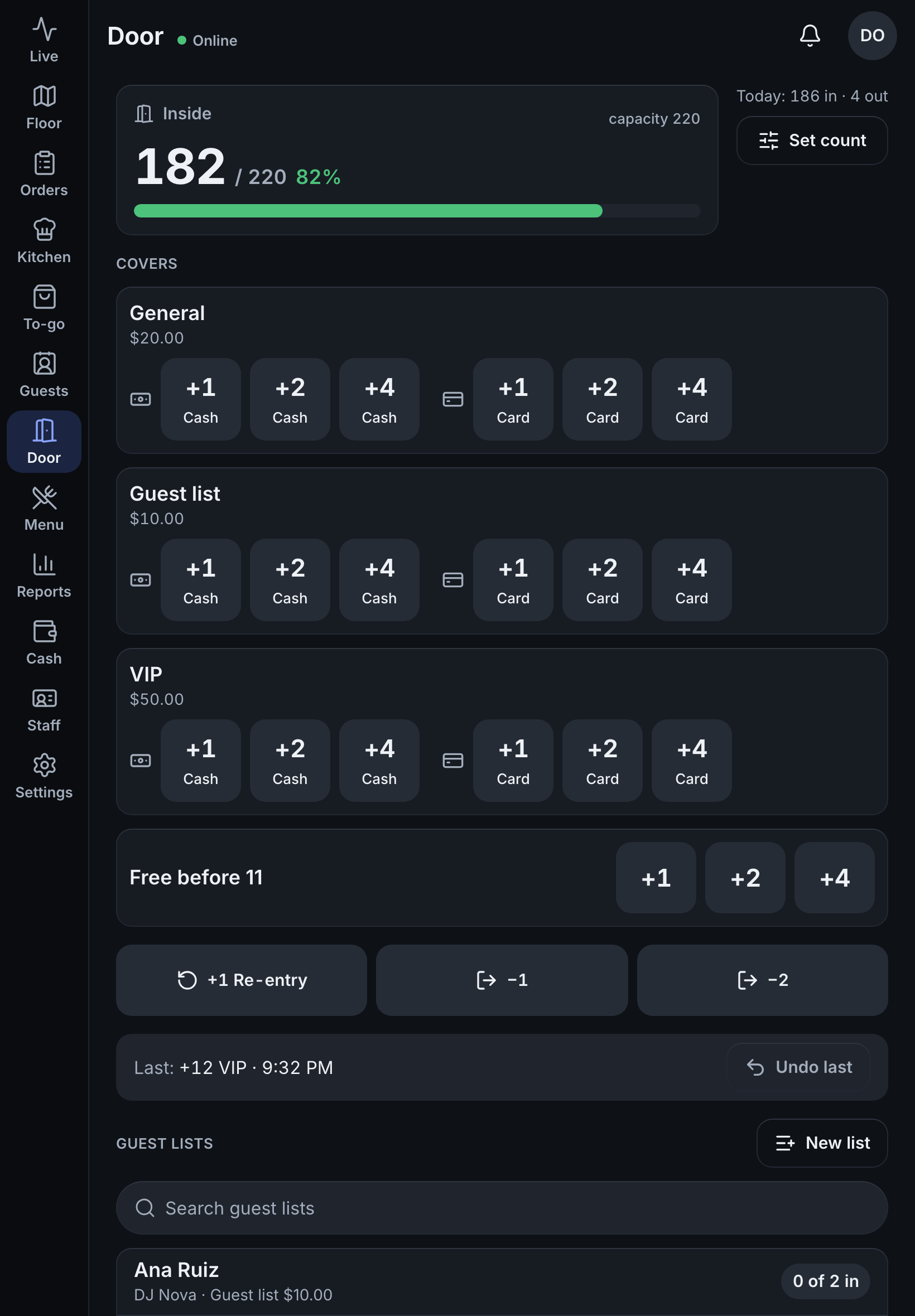
| Count covers by tier and payment method in groups of one, two or four. Tap free re-entry or exit and see occupancy live. Door sales use their own count, outside check and receipt numbering. | Business |
| Undo a mistaken entry within five minutes. Get a warning at 90% capacity and lock entry at 100%. A manager can override or correct the count. | Business |
| Notify staff when a VIP arrives and flag a bottle presentation on its ticket. | Business |
| Find a name on the guest list and check in the party at the door. | Business |
| Hold guest rounds containing staff-confirmed items, such as alcohol or bottles, for a staff member to accept. | Pro, Business |
LMenu & stock
| What your team can do | Included plans |
|---|---|
| Create categories and dishes in the house language, with optional translations and fallback both ways. Set ticket name, price, station, course, tax, nine standard allergens or another allergen, tags, prep time and staff confirmation. Archive and restore sold items. | Starter, Pro, Business |
| Build modifier groups with minimums, maximums, price differences and routing per option. Choices can add, remove, flag or open a nested group. | Starter, Pro, Business |
| Set warning and late times, track preparing and served states and select a backup station. | Starter, Pro, Business |
| Set a default tax and rates to three decimal places. | Starter, Pro, Business |
| Mark items sold out or back from any staff device. Set daily stock targets and see low-stock badges. Zero stock hides an item, restocking brings it back. | Starter, Pro, Business |
| Set menu windows and timed price rules. Hide kitchen items when the kitchen closes. | Starter, Pro, Business |
| Pin items for the team. Top sellers refresh at opening at most weekly using 14 closed days. The tab hides if empty or sold out. | Starter, Pro, Business |
| Arrange the position and colour of each terminal button within its category. | Starter, Pro, Business |
| Review yesterday’s sold-outs at opening. Restore all in one tap or turn on automatic clearing. | Starter, Pro, Business |
| Set staff and guest visibility by dish or category. New dishes start staff-only. Preview the guest menu before publishing. | Starter, Pro, Business |
| Upload menu photos. The browser resizes them to WebP. | Starter, Pro, Business |
| Import a CSV or paste spreadsheet rows. Preview, confirm once and undo the import if needed. | Starter, Pro, Business |
| Start with a labelled sample menu and remove it in one tap. | Starter, Pro, Business |
MReports
| What your team can do | Included plans |
|---|---|
| See today’s live X, closed-day Z and date ranges using the venue’s business day and time zone. | Starter, Pro, Business |
| Review sales totals by item, category, staff, channel, hour and payment method. | Starter, Pro, Business |
| Review voids, comps, discounts, refunds, walk-outs, corrections, service times, online orders, drawers, terminals and balances carried over. | Starter, Pro, Business |
| Open a check’s receipt and full history. Filter the activity log by event. | Starter, Pro, Business |
| Export the filtered audit log and reports as localized CSVs with codes and labels, safe to open in a spreadsheet. Downloads stream in the background. | Pro, Business |
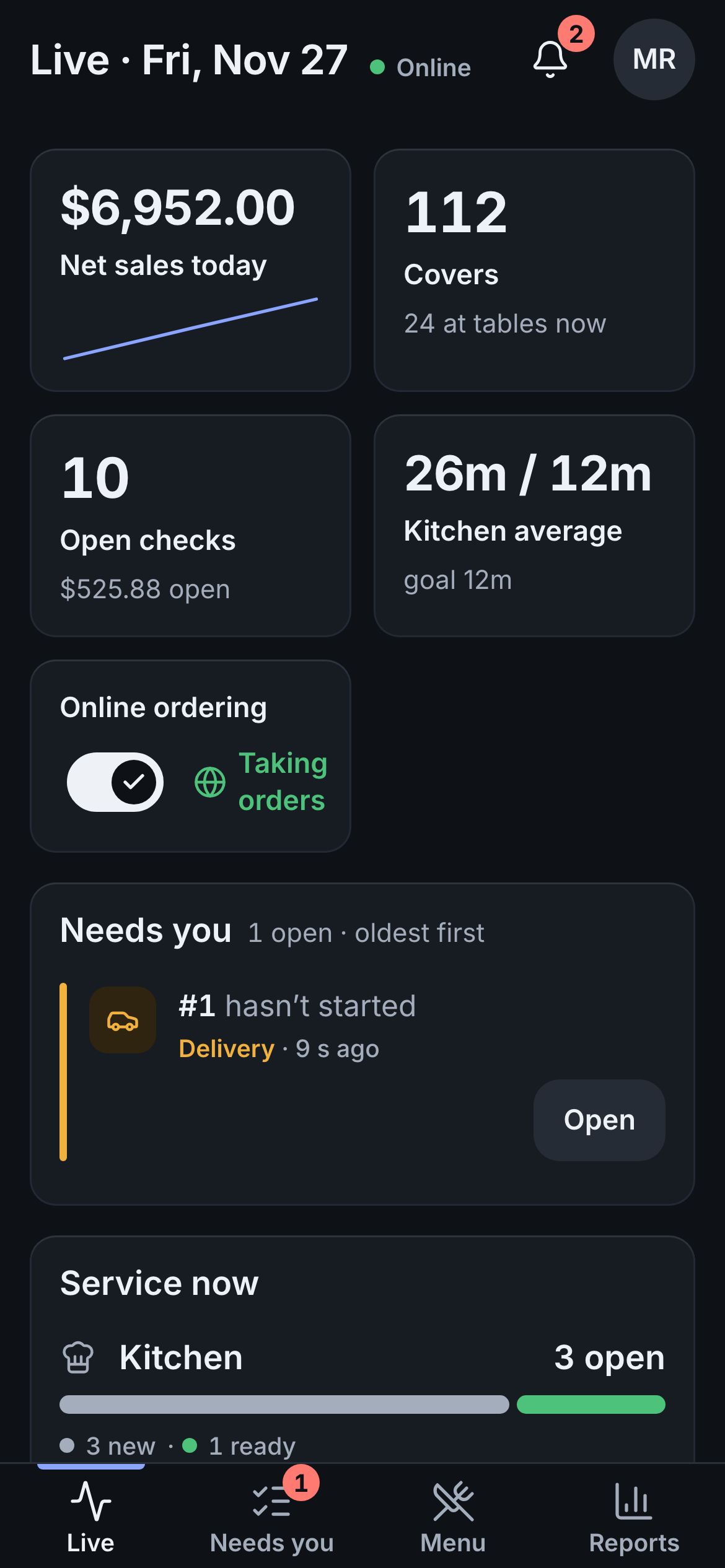
| Print the day summary. Follow the manager’s live dashboard and its list of things needing attention. | Starter, Pro, Business |
NAdmin & backups
| What your team can do | Included plans |
|---|---|
| Use the setup token to create the owner or restore a backup. Follow the checklist for hours, tax, floor, stations, menu, people, devices, off-site backup, guest orders, receipts and practice. | Starter, Pro, Business |
| Manage staff, issue or replace PINs and invite people by QR. | Starter, Pro, Business |
| See a device’s last contact, version, connection and pending actions. Change its settings or revoke access. | Starter, Pro, Business |
| Adjust venue settings from their own pages. Jump to an action with the ⌘K command palette. | Starter, Pro, Business |
| Keep signed hourly, daily, monthly and pre-migration backups. Check integrity, download as owner and preview which changes a restore would remove. | Starter, Pro, Business |
| Retention rules clear old personal details and events while preserving linked records. | Starter, Pro, Business |
| Check service health, storage, metrics, errors and missing client-IP headers on the system screen. | Starter, Pro, Business |
| Copy backups off-site to S3-compatible storage and recover the venue onto an empty volume after a loss. | Starter, Pro, Business |
| Download all venue data together in a ZIP. | Starter, Pro, Business |
OBilingual & accessible
| What your team can do | Included plans |
|---|---|
| Use English or Latin American Spanish across screens, receipts, exports, dish names and guest menus. | Starter, Pro, Business |
| Save language per staff member, per station, expo or board device, and per guest. | Starter, Pro, Business |
| Use keyboard navigation, visible focus, 44-pixel targets, announcements, high contrast and reduced motion throughout service. | Starter, Pro, Business |
| Choose light, dark or automatic for staff. Stations and expo stay dark, and the guest app follows the phone. Turn on large text when needed. | Starter, Pro, Business |
A screen for every hand.
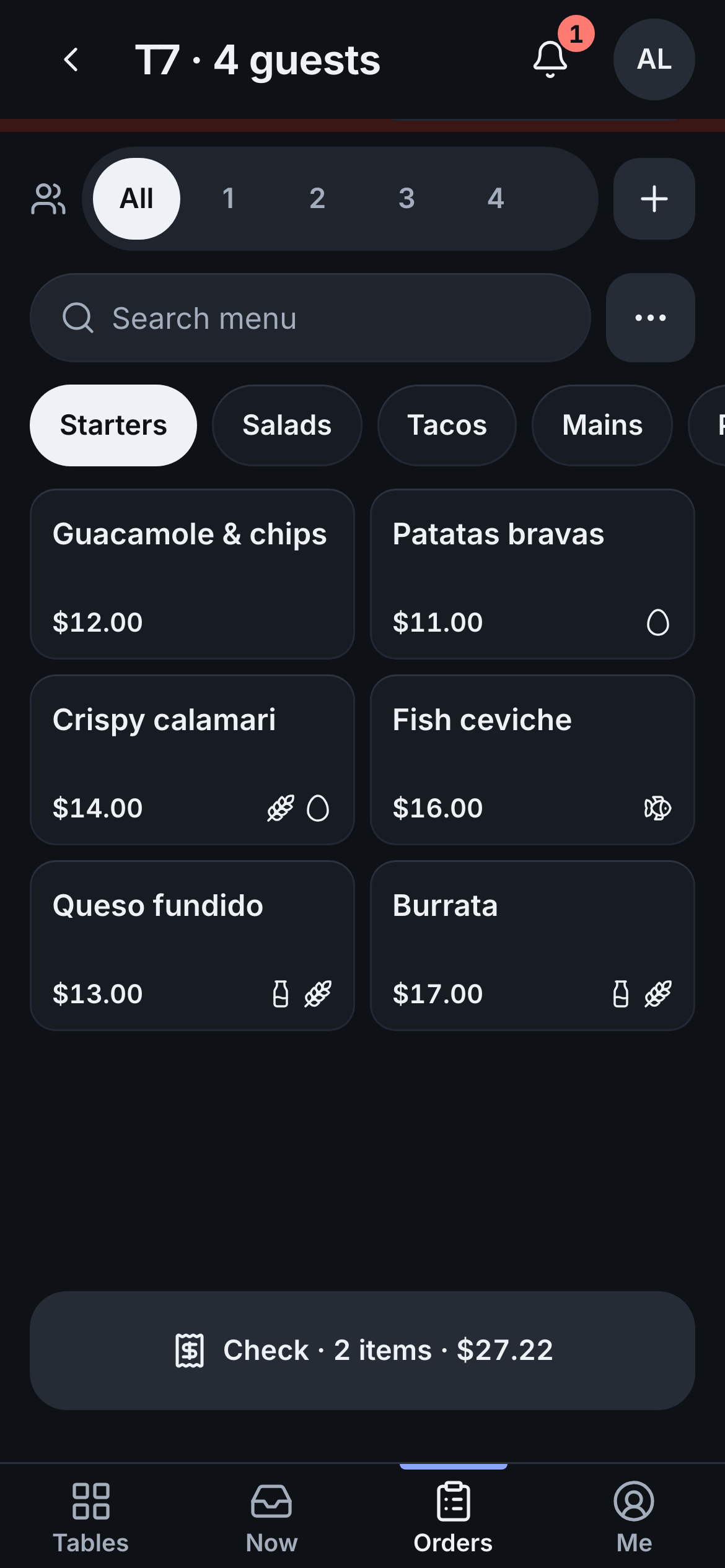
See the entire floor. Seat a walk-in and keep the next reservation in view.
Scan the table QR, choose a dish and follow the order from the phone.
Keep the rail moving. Open a tab, lock in happy-hour prices and split the check when they ask.
See every course and modification on the right station screen. Tap when it’s ready.
Hand off a ready bag. The driver sees the stop and marks it delivered from their phone.
Check covers, sales and what needs attention. Pull up the Z report at close.